

✏️
Interactive Drawing
Let users create arrows and text annotations with intuitive click-and-drag interactions
A powerful plugin with React integration for adding interactive annotations to your graph visualizations
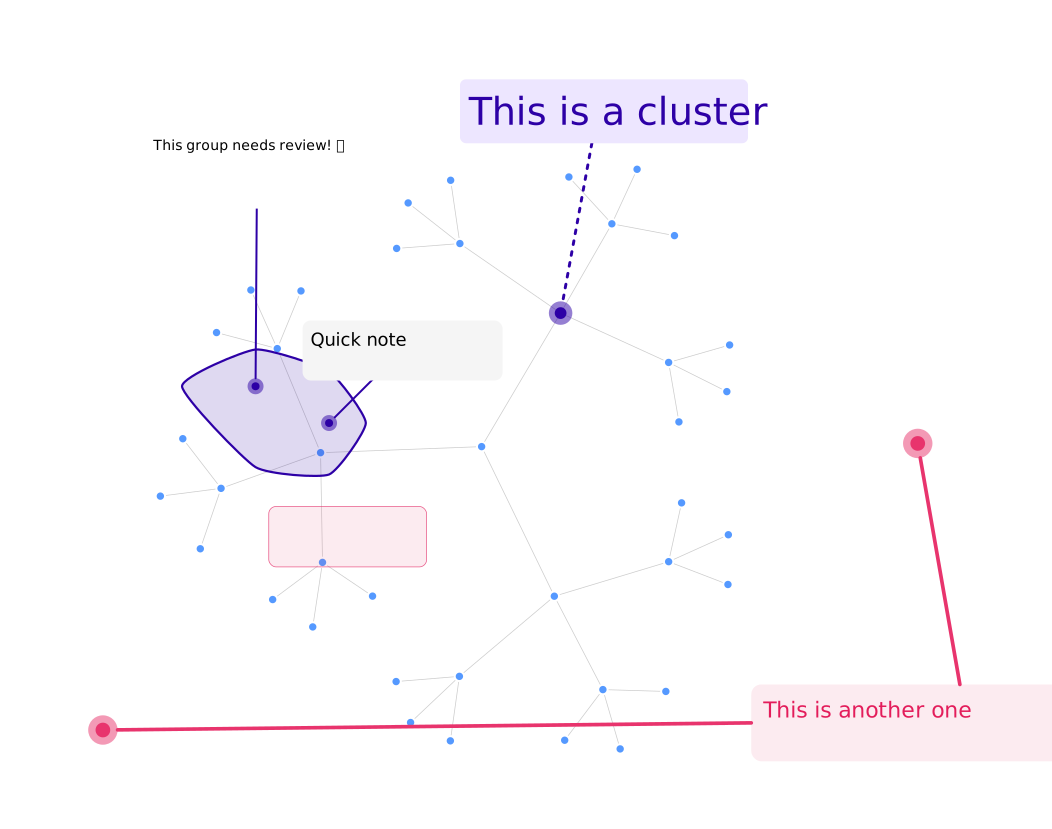
Annotations enhance graph visualizations by allowing you to:
import { Ogma } from "@linkurious/ogma";
import { Control, createArrow, createText } from "@linkurious/ogma-annotations";

const ogma = new Ogma({ container: "graph-container" });
const controller = new Control(ogma);

// Add an arrow annotation
const arrow = createArrow(0, 0, 100, 100, {
  stroke: "#ff6b6b",
  strokeWidth: 3
});
controller.add(arrow);

// Add a text annotation
const text = createText(50, 50, "Important Node", {
  color: "#4ecdc4",
  fontSize: 16
});
controller.add(text);import { Ogma } from "@linkurious/ogma-react";
import {
AnnotationsContextProvider,
useAnnotationsContext
} from "@linkurious/ogma-annotations-react";
import { createArrow } from "@linkurious/ogma-annotations";
function AnnotationTools() {
const { editor } = useAnnotationsContext();
const ogma = useOgma();
const addArrow = () => {
ogma.events.once("click", (evt) => {
const { x, y } = ogma.view.screenToGraphCoordinates(evt);
const arrow = createArrow(x, y, x, y, { stroke: "#ff6b6b" });
editor.startArrow(x, y, arrow);
});
};
return <button onClick={addArrow}>Add Arrow</button>;
}
function App() {
return (
<Ogma>
<AnnotationsContextProvider>
<AnnotationTools />
</AnnotationsContextProvider>
</Ogma>
);
}